
Essential CRM Tools to Manage Your Coaching Client Relationships
Client relationships rarely break down because coaches stop caring. They break down because communication fragments, follow-ups slip, session notes disappear into scattered documents, onboarding feels inconsistent, and the client experience starts depending too heavily on memory. That is where CRM tools stop being “business software” and start becoming relationship infrastructure. For coaches who want stronger trust, cleaner systems, and a more premium experience, the right CRM stack can quietly transform how every client feels inside the coaching journey.
The mistake is assuming a CRM is only for sales. In coaching, the best CRM tools protect continuity, personalize support, reduce admin drag, and make clients feel remembered at the right moments. Used well, they help coaches manage the human side of scale without becoming robotic. This guide breaks down which CRM tools matter most, how to use them wisely, and how to build a client relationship system that feels organized, personal, and genuinely supportive.
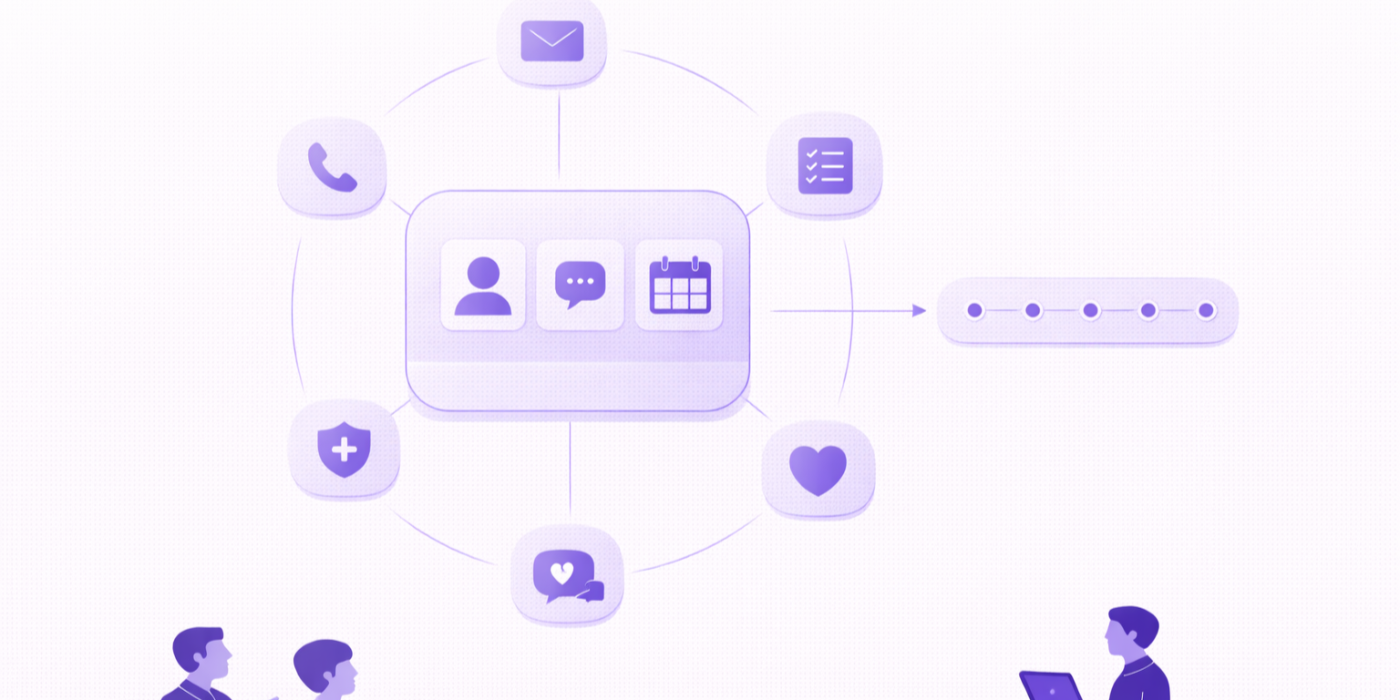
1. Why CRM tools have become essential for modern coaching client relationships
Many coaching relationships become harder to manage long before they become harder to deliver. The coach still shows up with care, skill, and insight, but behind the scenes the system starts leaking trust. A welcome email goes out late. A client win gets forgotten. A check-in promised after a tough session never happens. A lead is warm one week and lost the next because follow-up lived in someone’s head instead of a process. These are not small issues. They directly shape whether the client experiences your practice as thoughtful and reliable or inconsistent and stressful.
That is why CRM tools matter. A coaching CRM is not just a contact database. It is the place where client history, communication flow, onboarding progress, relationship notes, next actions, and support triggers can live in one visible system. It reduces the risk of relational breakdown caused by operational chaos. This fits naturally with practices built around coaching session templates to boost your productivity instantly, building your coaching toolkit: essential templates and checklists, creating a coaching resource library your clients will love, and free & premium coaching resources to boost your practice.
A good CRM also protects emotional continuity. Coaching clients do not want to feel like tickets moving through a system. They want to feel known. They want their coach to remember the context behind the goal, the fear behind the resistance, the big conversation they were preparing for, the health pattern they were trying to stabilize, or the confidence issue beneath the action plan. CRM tools make that easier because they preserve memory outside the pressure of recall. When used well, this strengthens building deep trust: how to strengthen your client relationships, why trust is the most valuable asset in coaching, the communication secret behind successful coaching, and effective listening techniques that transform client conversations.
CRM tools are also essential because coaching businesses increasingly live across multiple touchpoints. Discovery calls, emails, reminder sequences, intake forms, invoices, progress notes, check-ins, session recaps, exercises, resource sharing, renewals, referrals, testimonials, and re-engagement campaigns all shape client experience. Without a central relationship tool, these touchpoints become fragmented. Fragmentation creates friction. Friction lowers follow-through. Lower follow-through often gets misread as client disengagement, when in reality the experience simply lacked structural support.
Another major reason CRM tools matter is protection against uneven scaling. A coach can manage five clients with memory and improvised systems. Managing twenty or fifty that way is different. Growth exposes hidden operational weakness fast. A CRM does not remove the human side of coaching. It protects it by making relationship care repeatable at scale. That is especially relevant when the practice is evolving alongside how technology is completely transforming the coaching industry, how artificial intelligence is changing client interactions forever, balancing human touch with coaching automation for optimal results, and the future model every coach needs to adopt by 2026.
The best CRM tools do not make coaching colder. They make care easier to deliver consistently. They hold the details that build trust, reduce the admin that drains attention, and create a more seamless experience for both coach and client. In that sense, CRM is not optional admin anymore. It is part of relationship quality.
| Relationship Need | CRM Tool / Feature | What It Helps Manage | Start With | Best For |
|---|---|---|---|---|
| Lead follow-up | Pipeline board | Inquiry to consultation to enrollment | 3 stages | Growing coaching practices |
| Onboarding | Automation workflow | Welcome emails, forms, next steps | 1 sequence | Busy coaches |
| Relationship memory | Client notes timeline | Key context, wins, setbacks, preferences | After each session | High-touch coaching |
| Session prep | Pre-call check-in form | What matters before each session | 3 questions | Clients who arrive scattered |
| Retention | Renewal reminder system | Contract end dates and extension prompts | 30-day reminder | Package-based coaches |
| Trust | Follow-up task queue | Promises, recap actions, support touchpoints | Daily review | Coaches juggling many clients |
| Personalization | Custom tags | Niche, goals, stage, preference, risks | 5 useful tags | Segmented client care |
| Communication | Email templates | Consistent outreach without writing from scratch | Welcome + reminder + recap | Efficiency-focused practices |
| Scheduling clarity | Calendar sync | Appointments, reschedules, reminders | One connected calendar | Remote coaches |
| Documentation | Session note fields | Themes, commitments, next focus | Simple note template | All coaches |
| Client confidence | Wins tracker | Visible evidence of progress | Weekly entry | Self-critical clients |
| Consistency | Check-in automation | Weekly or midweek accountability prompts | One weekly check-in | Action-focused coaching |
| Conversion | Lead capture form | Inquiry details before discovery calls | Basic intake | Marketing-active coaches |
| Boundaries | Communication policy template | Response windows and support scope | Onboarding delivery | Coaches with messaging support |
| Re-engagement | Dormant client sequence | Reconnect with inactive leads or alumni | 60-day trigger | Long-cycle businesses |
| Insight | Client journey stage tracker | Where each client is in process | 4 stages | Programmatic coaching |
| Client voice | Feedback form | Experience, friction, needs, praise | Mid-program review | Premium services |
| Payment visibility | Invoice status panel | Paid, pending, overdue | Simple status only | Solo operators |
| Resource delivery | Asset sharing links | Worksheets, recordings, guides, exercises | Top client resources | Education-driven coaches |
| Testimonial capture | Social proof workflow | Prompting feedback at the right time | End-of-program request | Growth-focused practices |
| Risk reduction | Consent and agreement storage | Policies, signed forms, expectations | One client folder | Ethics-conscious coaches |
| Session continuity | Recap email workflow | Summary and next actions after sessions | Template recap | Clients who forget details |
| Client segmentation | Audience lists | Group clients by niche or offer | 2 segments | Multiple coaching offers |
| Renewal conversations | Milestone reminder | Prompt review before package ends | Session 5 of 6 | Retention-focused coaches |
| Client care | Personal touch reminders | Birthdays, milestones, important dates | A few key dates | Relationship-first coaches |
| Lead nurturing | Email nurture sequence | Education before conversion | 3-email flow | Content-driven coaches |
| Ownership | Client progress fields | Ratings, reflections, commitment level | 3 key metrics | Transformation programs |
| Scalability | Workflow templates | Repeatable sequences across clients | Onboarding + follow-up | Scaling coaches |
| Bounded support | Support ticket or form entry | Non-urgent questions between sessions | Single request form | Coaches with high message volume |
| Long-term relationship value | Alumni follow-up workflow | Post-program support and referrals | Quarterly touchpoint | Coaches building lifetime value |
2. Which CRM tools matter most for onboarding, follow-up, communication, and retention
The most effective coaching CRM is not the one with the most features. It is the one that supports the moments where trust is easiest to strengthen or easiest to lose. Four of those moments matter more than most: onboarding, follow-up, communication, and retention. If your CRM tools are weak in these areas, client relationship quality usually becomes inconsistent no matter how strong your coaching sessions are.
Start with onboarding. A client’s first few days shape their emotional interpretation of your entire practice. If they enroll and then wonder what happens next, uncertainty appears immediately. Strong CRM onboarding tools solve that. They automate welcome emails, collect intake information, deliver agreements, set expectations, share scheduling links, and provide first-step instructions without making the process feel mechanical. The best systems make the client feel guided from day one. This pairs well with how to become a certified life coach your complete 2025 roadmap, launch your successful health coaching career complete roadmap, best online health coach certification programs for busy professionals, and curating the perfect coaching toolkit for every niche.
Next comes follow-up, which is where many coaching businesses quietly weaken. Follow-up is not just a courtesy. It is often the moment that converts interest into commitment and insight into action. CRM task systems, reminders, and automated yet personalized email sequences help ensure that warm leads are not ignored, recent clients are not forgotten, and post-session momentum does not evaporate. This is where coaches often discover that good intentions are not enough. Without a tool holding the follow-up process, emotional labor increases while reliability drops.
Communication tools matter just as much. Coaches need templates for welcome emails, session reminders, recap notes, missed-session follow-ups, check-ins after difficult conversations, and prompts tied to program milestones. Good CRM communication tools create consistency without forcing every message to start from zero. That consistency improves perceived professionalism and reduces the burden of repetitive admin. It aligns beautifully with automated email sequences the ultimate 2026 guide for coaches, client testimonials capture the ultimate 2026 guide for coaches, video conferencing hacks for flawless online coaching sessions, and best coaching software & platforms for client management in 2025.
Retention tools are the next priority. Many coaches focus heavily on finding new clients while losing easy revenue and relationship depth by neglecting renewal systems. A CRM can flag package end dates, prompt progress reviews, remind the coach to initiate renewal conversations early, and trigger alumni re-engagement workflows later. Retention often improves not because the coaching suddenly gets better, but because relationship timing gets smarter. Clients are more likely to continue when they feel the coach is proactive, invested, and structurally organized.
The strongest CRM stack, then, is not built around complexity. It is built around relationship moments that most affect trust. Onboarding creates safety. Follow-up creates reliability. Communication creates clarity. Retention creates continuity. When those four areas are supported properly, the rest of the client relationship becomes easier to manage well.
3. How to choose CRM tools that support personalization without making coaching feel robotic
The fear many coaches have about CRM tools is understandable: “Will this make my client care feel automated and cold?” It can, if used badly. But the real issue is not automation itself. It is unthinking automation. A CRM becomes robotic when it replaces attention instead of supporting it. Used wisely, it does the opposite. It frees mental space so the coach can bring more human presence to the moments that matter most.
The first rule is to automate structure, not intimacy. Let your CRM handle reminders, intake delivery, session confirmations, agreement collection, renewal triggers, and routine check-ins. But keep emotionally nuanced communication human, especially after hard sessions, major setbacks, vulnerable disclosures, or important breakthroughs. The tool should carry the predictable parts so you can show up more fully for the unpredictable ones. This distinction matters deeply in the context of why emotional consent matters in every coaching session, understanding ethical responsibilities as a health & life coach, the ultimate guide to ethical coaching principles you can’t ignore, and coaching confidentiality how to protect your clients and your practice.
The second rule is to use personalization fields and tags meaningfully. A CRM should not merely know a client’s name and package type. It should help you remember the client’s goals, communication preferences, current growth theme, emotional sensitivities, decision style, and what tends to derail momentum. Those details can shape email tone, resource suggestions, check-in timing, and session preparation. This is how CRM supports relational depth rather than flattening it. When a client receives a message that clearly reflects their real context, the system feels more personal, not less.
Third, do not confuse speed with care. One reason coaches over-automate is the desire to feel efficient. But efficiency without relevance is forgettable. A brief, well-timed message tied to a client’s actual challenge is more powerful than a long generic sequence written to everyone. The smartest CRM strategies segment clients thoughtfully and then keep the messaging narrow, specific, and useful. That is especially effective when your coaching style already values how to create engaging coaching content clients love, interactive coaching exercises to keep clients motivated, best practices for creating interactive coaching workshops, and how to build an interactive coaching community online.
Fourth, build CRM touchpoints around client pain, not your convenience alone. If clients routinely struggle with consistency after session two, automate a check-in before that dip usually happens. If many clients freeze before hard conversations, create a pre-conversation prompt flow they receive at the right moment. If new clients feel overwhelmed during onboarding, simplify the sequence and drip the information. This is where CRM becomes strategic. It anticipates friction and reduces it before it damages the relationship.
Finally, remember that a CRM should preserve your voice. Templates and workflows should sound like you at your clearest, not like software speaking on your behalf. Edit every important sequence until it feels aligned with your coaching values, pace, and tone. The goal is not to sound automated. The goal is to sound consistently supportive without rebuilding the wheel every week.
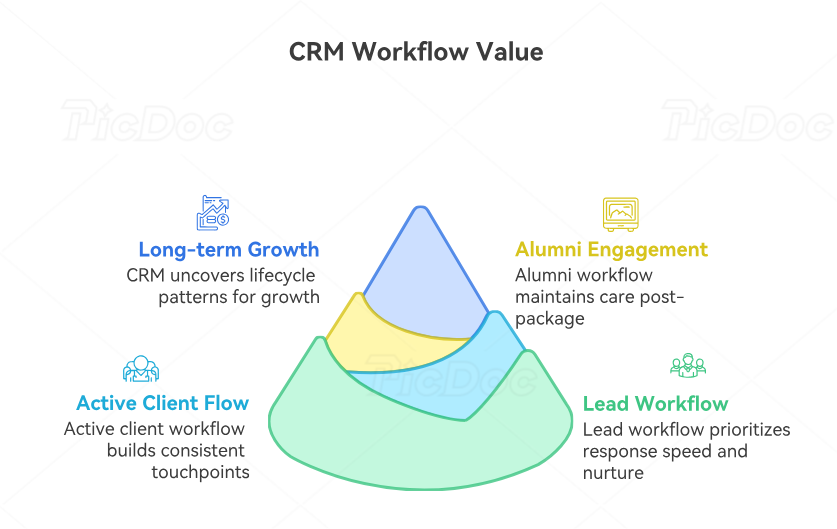
4. The best CRM workflows for leads, active clients, alumni, and long-term relationship growth
CRM tools create their highest value when they are arranged into workflows instead of used as random features. A workflow turns good intentions into reliable sequences. That matters because client relationships pass through stages, and each stage has different relational needs. Leads need clarity and timely follow-up. Active clients need continuity and support. Alumni need thoughtful re-engagement. Long-term relationships need structure that protects lifetime value without feeling transactional.
For leads, the most important workflow is response speed plus nurturing. A lead capture form should feed directly into your CRM with enough information to personalize the next step. From there, a short email sequence can confirm inquiry, share next actions, reinforce your positioning, and invite the discovery call. If the lead does not book, the CRM should trigger reminders or a value-first nurture sequence rather than letting interest disappear. This strategy supports coaches who are also investing in comprehensive analysis the most profitable coaching niches today, coaching market size forecast massive growth opportunities by 2030, exclusive 2025 coaching industry report key trends & insights, and is a life coach certification worth it real coaches share their roi.
For active clients, the CRM workflow should support rhythm. That usually includes session reminders, pre-session check-ins, session note storage, recap delivery, weekly accountability prompts, and milestone reviews. The goal is not to over-message the client. It is to create reliable touchpoints that maintain momentum between calls. This is also where relationship notes become powerful. When the CRM stores themes, wins, struggles, and next focus areas over time, every session begins with stronger context and less wasted rediscovery.
For alumni, the workflow should preserve goodwill and future opportunity. Too many coaching businesses end the relationship when the package ends. A better CRM system creates alumni touchpoints through periodic check-ins, relevant content sharing, invitations to next-level offers, milestone celebration messages, and carefully timed testimonial or referral requests. Done well, this does not feel salesy. It feels like thoughtful continued care. That supports client testimonials capture the ultimate 2026 guide for coaches, youtube channel growth for coaches the ultimate 2026 guide for coaches, seo tools for coaching websites the ultimate 2026 guide for coaches, and the 10 highest-paying niches for certified life coaches in 2025.
For long-term relationship growth, the CRM should do more than manage tasks. It should help surface patterns across the entire lifecycle. Which clients renew most often? When do most people disengage? What onboarding point creates confusion? Which check-ins increase response quality? Which client segment responds best to what type of support? These insights allow the coach to improve not just operational consistency, but relationship design. That is how CRM becomes a growth tool rather than an admin tool.
The best workflows feel invisible to the client. What they notice is not the system itself. They notice that things happen on time, support feels thoughtful, transitions feel smooth, and nothing important seems to fall through the cracks. That is exactly what a strong CRM should make possible.
5. How to build a CRM system that saves time while strengthening trust and client care
A coaching CRM should make your work lighter and your care stronger at the same time. If it only saves time but weakens the relationship, it is poorly designed. If it supports the relationship but becomes an exhausting admin burden, it still fails. The sweet spot is a system that reduces repetitive effort while increasing consistency, clarity, and responsiveness across the client journey.
Start by deciding what absolutely must be remembered and what can be standardized. Client goals, emotional themes, preferences, boundaries, commitments, renewal timing, and key breakthroughs usually deserve manual attention inside the CRM. Appointment reminders, onboarding steps, payment nudges, and standard document delivery can usually be templated or automated. This split matters. It protects the human detail that creates trust while eliminating the low-value repetition that drains energy.
Next, build around one source of truth. When client data lives across inboxes, notes apps, spreadsheets, forms, and calendar comments, trust becomes fragile because continuity depends on hunting. A better CRM system centralizes the information you actually use. It does not need to hold everything. It needs to hold the right things in a place you will truly reference. This principle aligns with best coaching software & platforms for client management in 2025, virtual coaching tools boosting your remote session effectiveness, client session recording tools the ultimate 2026 guide for coaches, and the 10 best coaching apps every professional should know.
Then simplify your fields ruthlessly. Many coaches create CRMs with too many tags, too many status options, and too many note categories. Complexity feels smart at setup and punishing a month later. A clean CRM is easier to update and therefore more likely to stay accurate. Accuracy is critical because clients can feel when your system no longer reflects their reality. Outdated systems quietly erode confidence in your professionalism.
You should also use your CRM proactively, not retroactively. Do not only enter information after something is forgotten or goes wrong. Use the tool to anticipate care. Set reminders for the check-in a client may need after a difficult decision. Flag the week when a renewal conversation should begin. Create a task to revisit a vulnerable topic the client almost opened but did not fully explore. This is where CRM becomes trust-building in a deeper sense. It helps you remember what matters before the client has to remind you.
Finally, review the system regularly. Which workflows save real time? Which automations feel impersonal? Which reminders are useful? Which templates need rewriting? A CRM should evolve with your practice. The coaches who get the most from CRM tools are not the ones with the biggest stack. They are the ones who keep refining the relationship system until it feels both efficient and unmistakably human.
6. FAQs
-
The most important feature is usually the one that protects continuity: a reliable place for client notes, follow-up tasks, communication history, and journey stage tracking. Coaching lives on context. If you cannot easily see what matters in the relationship, what was promised, and what needs to happen next, everything else becomes harder. Automation matters, but continuity usually matters first.
-
Yes, especially once client volume begins to grow. Many solo coaches delay using a CRM because they assume it is only for large businesses. In reality, solo operators often benefit the most because a CRM prevents mental overload, missed follow-ups, and inconsistent onboarding. It also creates a stronger foundation before growth makes the cracks more expensive.
-
Automate the repeatable structure, then personalize the moments of meaning. Use templates for reminders, onboarding, and standard updates, but customize tone, timing, and content based on the client’s situation. Keep your language natural and aligned with your coaching voice. A good automation should feel helpful and timely, not mass-produced.
-
CRM tools are strongest at solving scattered communication, missed follow-up, inconsistent onboarding, poor visibility across the client journey, weak renewal timing, and forgotten relationship details. They are especially valuable when the coach is providing high-touch support to multiple clients and wants to maintain reliability without relying on memory alone.
-
Yes. A strong coaching CRM should support the full lifecycle, not just active clients. Leads need response and nurturing. Active clients need continuity. Alumni need re-engagement and thoughtful follow-up. Managing all three inside one relationship system creates stronger visibility, smoother transitions, and better long-term business value.
-
Trust grows when clients feel remembered, guided, and consistently supported. CRM tools make it easier to follow up when promised, personalize communication, preserve context between sessions, and create smoother touchpoints across the entire relationship. The client may never think, “This coach has a great CRM.” What they will feel is that the relationship is organized, responsive, and dependable.
